



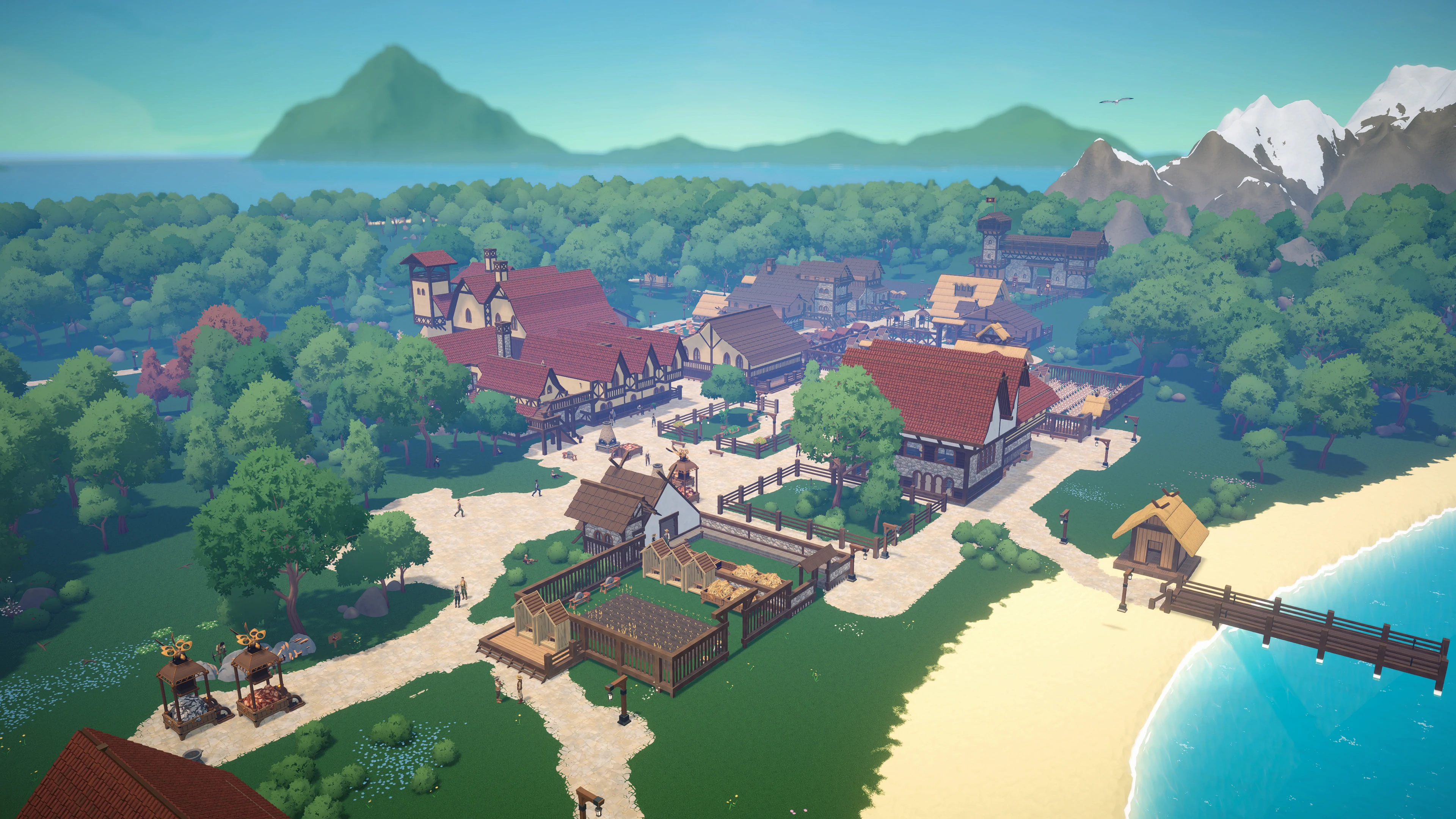
HavenCraft is a new game without millions of players, so your Browser is not used to seeing it.
You may get a warning about this being an “not commonly downloaded app”. This does not mean that anything bad was detected in the software, it just means that your browser is unfamiliar with it and wants you to be careful.
This is how you can keep the download and play it:
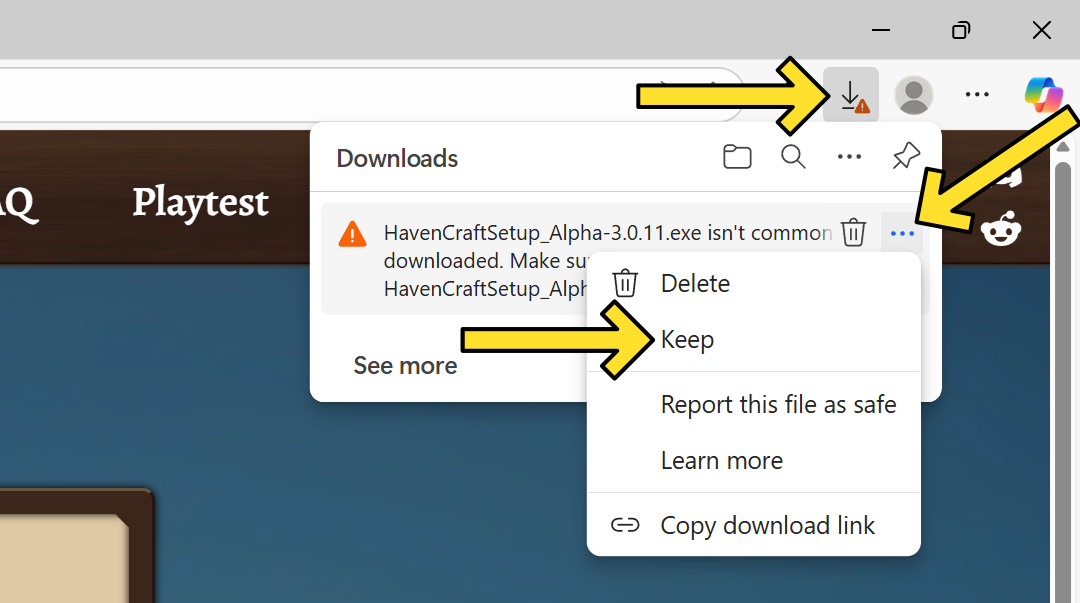
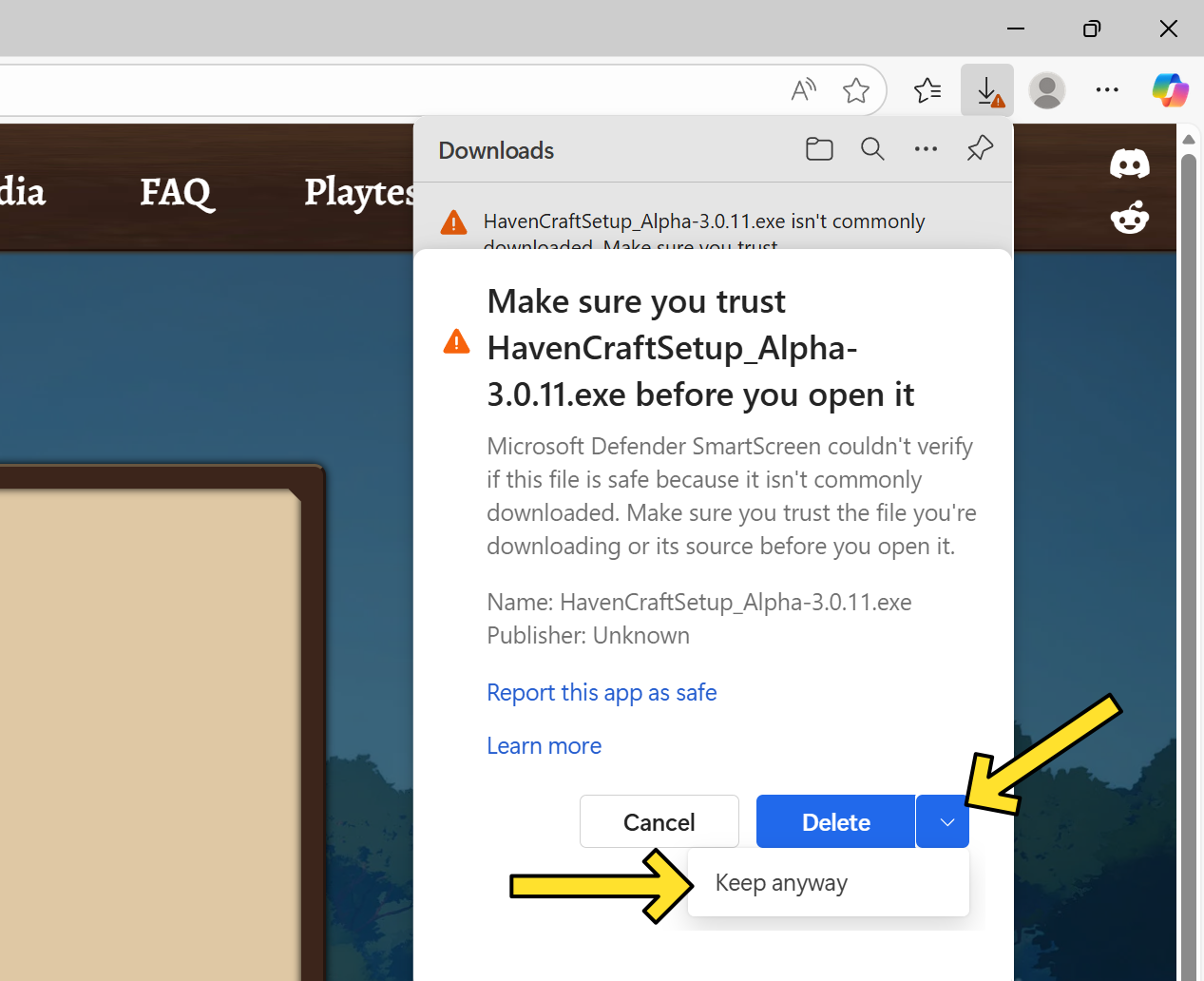
We hope that as more people play HavenCraft, Browsers will show this message less and less. If you want to help us out, you can also click “report this file as safe”. Thanks!
If you have any concerns, feel free to let us know. Contact information is below.
The same goes for Windows Defender: it has also not seen a lot of HavenCraft installations yet.
If you get this message, you can play the game by clicking on “More Info” and then on “Run anyway”. On other Windows versions, the panel will look a little different, but this is what it looks like on Windows 10:
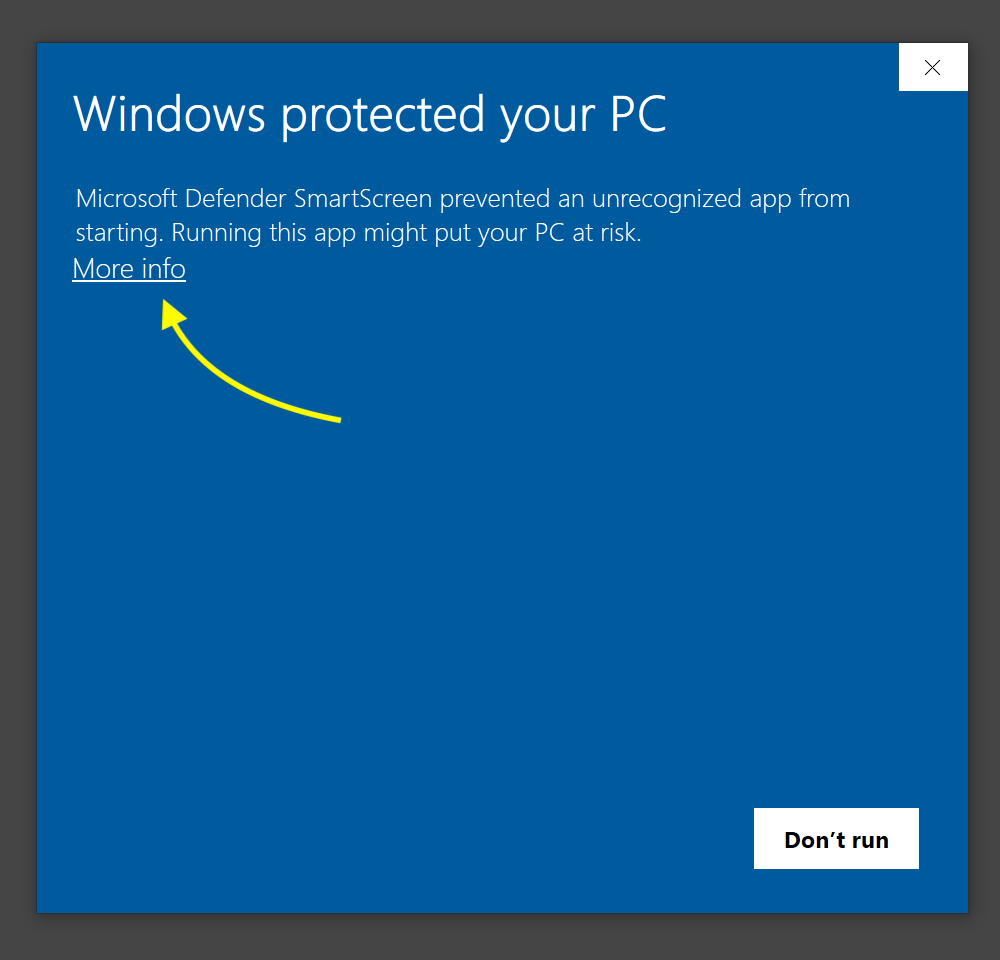
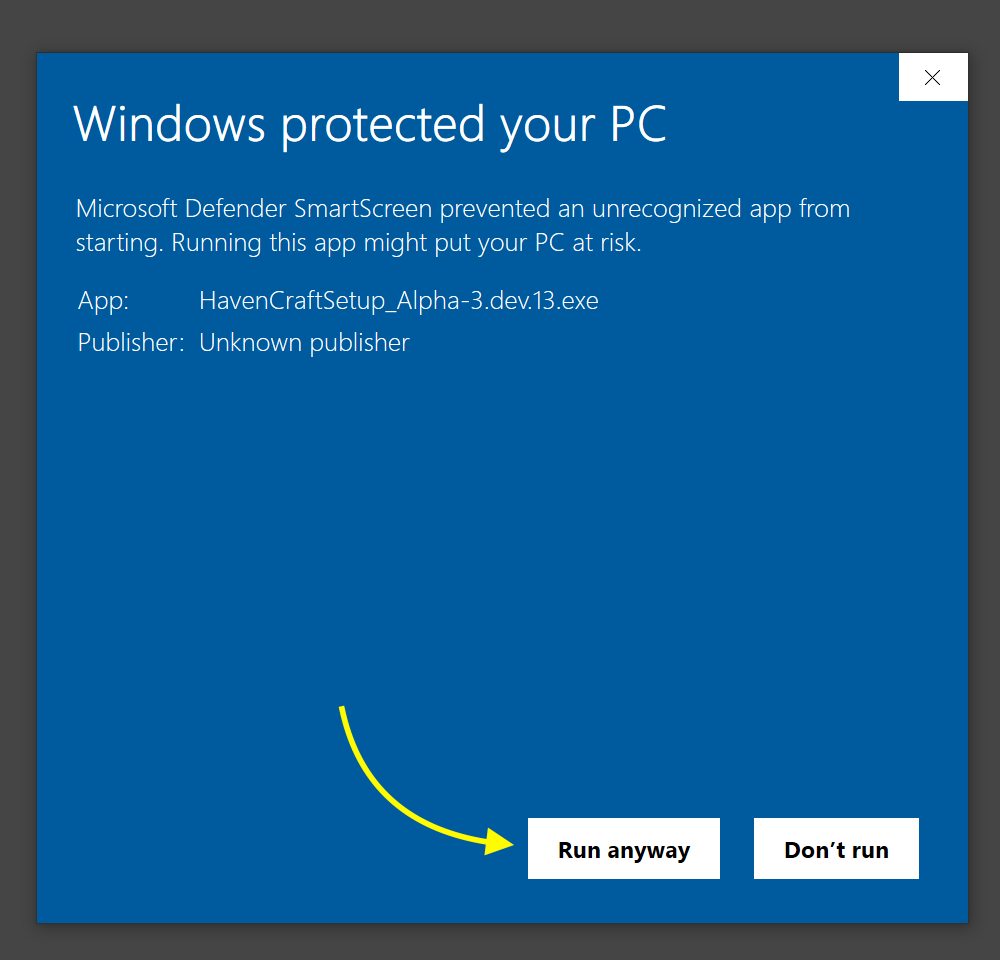
We hope that as more people play HavenCraft, Windows will show this message less and less.
If you have any concerns, feel free to let us know. Contact information is below.
First of all, don’t panic!
We hate losing save files ourselves and have built backups into HavenCraft.
The game does a lot of autosaves and keeps around some old and some new saves automatically, so there is a high chance that your world is still available somewhere in the autosavs.
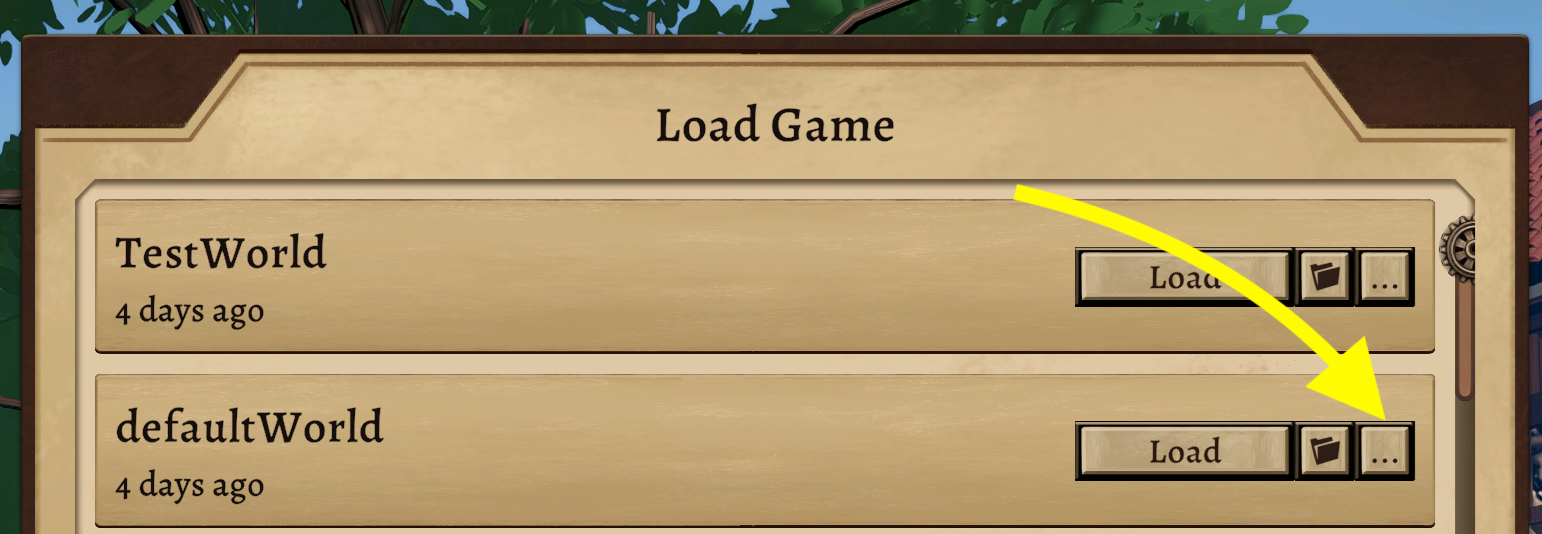
Go to the Load Game Panel and press the “…” button to see all saves of this world.
Then, just try loading different autosaves and see if you can find the one you were missing.
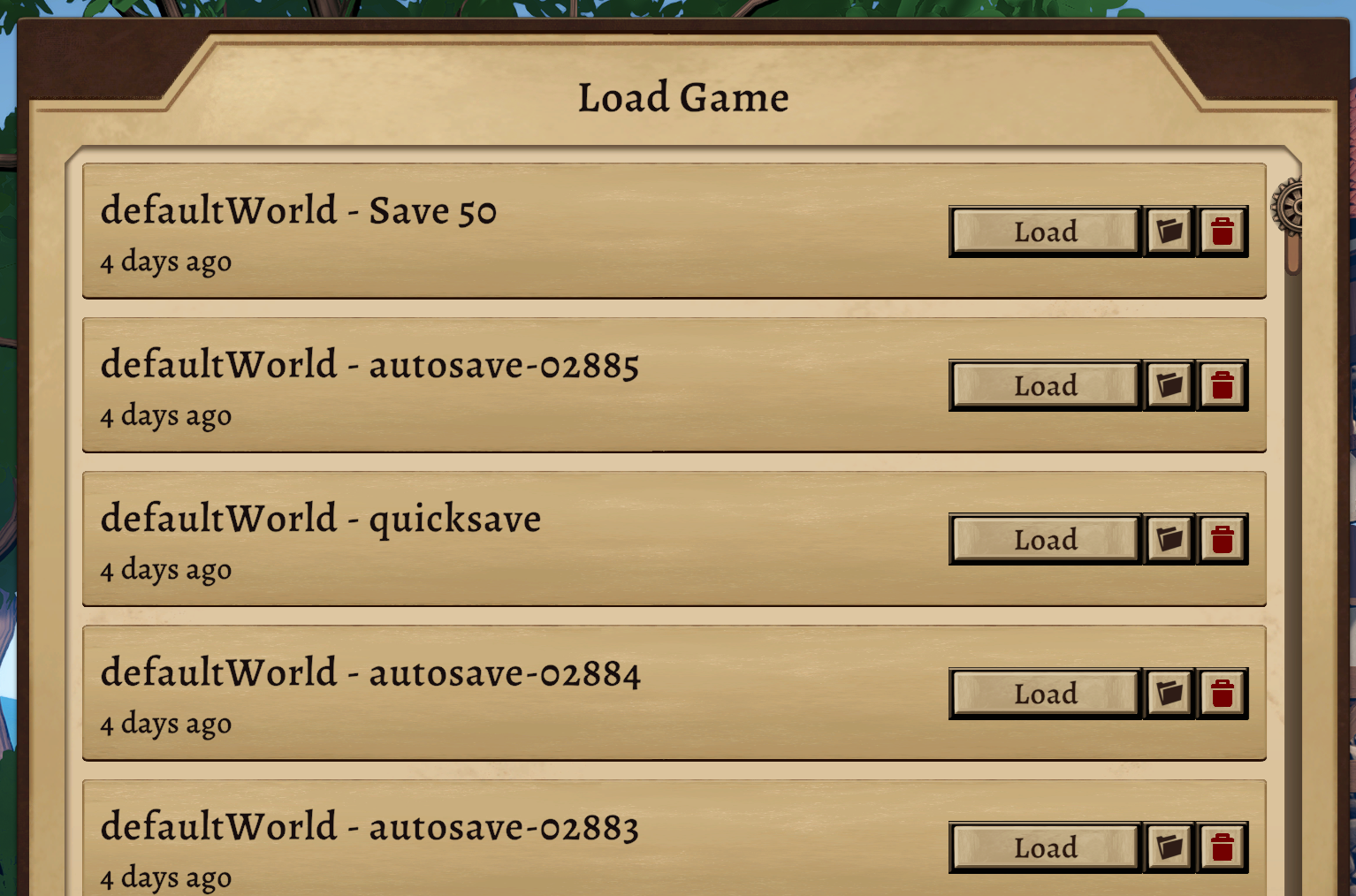
You can also click the folder button and handle the save files in the file manager / windows explorer.
%AppData%\..\LocalLow\Dionic Software\HavenCraftThis way, you can always go back a couple minutes or even many months of playing without filling up the disk too much!
It may help to turn off vsync in the settings.
Vsync is supposed to help with screen tearing, but on the other hand, your computer has to sync itself to the monitor’s refresh rate. If your graphics card can’t quite keep up, your frame timings might be inconsistent. This feels laggy.
For example, if your monitor runs at 60 Hz, but your game runs at 50 fps, or if your monitor runs at 240 Hz, but the game runs at 165 fps, it may be worth turning off vsync.
If these infos don’t help you, please make a post on the forum or email us at support@dionicsoftware.com.